Friday, February 12, 2016

Final Valentine Projects

I'm finally finished! Made some treat baskets and a card for Courtney and Steffan and that's it for 2016 Valentines!

The Valentine treat baskets were very easy to assemble. I used the Berry Basket Bigz L Die with various colors of card stock and then embellished each basket by cutting four , 2 1/2" squares of patterned paper, folding each over a side of the basket. They were easily adhered with glue dots.

I made shredded paper for each basket by using my Fringe Scissors to cut strips of card stock and then crinkled the resulting pieces–so easy to make coordinated baskets this way!

Each basket had a few heart embellishments and a ribbon-tied Gusseted Cellophane Bag filled with Hershey's Kisses.

For Steffan's basket, I used Basic Black card stock with a striped patterned paper from the Neutrals Backgrounds DSP Stack. Shredded paper was white. Hearts were cut from both red and black Glimmer paper using the Hearts Collection Framelits Dies.


Courtney's basket was Garden Green and decorated with paper from the Love Blossoms DSP Stack. Rose Red shredded paper and Glimmer paper hearts–Blushing Bride and Dazzling Diamonds sponged with Rose Red– as well as Blushing Bride Sequin Trim and a Watermelon Wonder flower from the In Color Blossom Accents.


Finally, Raine's basket was made with Melon Mambo card stock and patterned paper from the Have A Cuppa DSP Stack. Bermuda Bay shredded paper was used to match the patterned paper and the hearts were all cut from Dazzling Diamonds paper and sponged with Melon Mambo and Bermuda Bay inks. A Melon Mambo 3/8" Stitched Ribbon tied in a double bow was the final embellishment.


The card that I made for Courtney and Steffan was a direct case from the card by Dawn Griffith and uses the Beautiful Ride Stamp Set. Her card was so perfect, I didn't want to change a thing! It was a fun technique to use and I can see myself using this for other cards in the future. I'll let you view Dawn's excellent video tutorial rather than repeat the directions for the card here.


I hope you enjoyed viewing my Valentine's Day projects. Hope you enjoy your February 14!


Thursday, February 11, 2016

Distress Ink Valentine

Today I set out to create a Valentine card for my husband. I had planned to case a card by Amy Rysavy. It was simply gorgeous and I thought I could recreate the watercolor look by using the Stampin Up reinkers.

I set out with the colors I had chosen–Coastal Cabana, Bermuda Bay, and Island Indigo–but the colors just didn't blend the right way. I tried again by watercoloring by putting distress inks on my craft mat and adding water but the colors weren't nearly as intense and I didn't have any reinkers for my distress inks.

So, that left sponging the background. I could have sponged with the Stampin Up inks but the distress inks blend so well so I went with them.

I cut a matte from watercolor paper and started sponging. In the end, I used 10 different distress inks to create my panel! I used Peacock Feathers, Cracked Pistachio, Mermaid Lagoon, Pine Needles, Blueprint Sketch, Faded Jeans, Chipped Sapphire, Evergreen Bough, Lucky Clover and Black Soot. And how do I remember what I used? I snapped a photo of course! It's a great way to record what you are using as you use it. I also used a sponge dauber to apply a fine line of Basic Black Archival Ink to the edges of the matte.

Inks used to distress the matte for the card front
After creating my background, I die cut the Queen of Hearts die from Memory Box using Silver Glimmer Paper. Because the design is so delicate and intricate, I used a metal shim with my Magnetic Platform as well as placing a dryer sheet beneath the glimmer paper.

What a beautiful die cut! It looked stunning placed on the distress ink background. It was then that I decided to add some Silver Cording Trim, wrapped around the bottom of the matte. I adhered the matte to a very thin Whisper White matte, using Fast Fuse Adhesive.

For the sentiment, I simply used the XOXO stamp from the Bloomin' Love Stamp Set. I stamped in Versamark on Basic Black card stock and embossed with White Stampin' Emboss Powder. I used the Bitty Banners Framelits to die cut the sentiment and then cut off the one end. Using the Confetti Hearts Border Punch, I punched a few tiny hearts from the Silver Glimmer Paper and glued them on the banner. I used Fast Fuse Adhesive to adhere the sentiment under the Silver Cording Trim.

I then attached the distressed matte and Whisper White matte to an Island Indigo card base using foam tape. I like to use foam tape when I watercolor because I think it holds the paper better, with less warping.

To attach the die cut, I decided to use spray adhesive. I placed the die cut face down in a box I use as my spray booth and coated it with the spray. Definitely easier than using the Fine Tip Glue Pen! However, it didn't adhere in all places so I ended up adding some Multi Medium Matte to finish the job. I adhered a sprinkling of sequins to complete the front of the card.

I cut a Whisper White matte for the inside of the card and stamped the large intricate heart from the Bloomin' Love Stamp Set. using Basic Black Archival Ink. I zapped it with my heat gun to be sure it was dry before beginning to sponge once again.

I only used a few inks this time–Blueprint Sketch, Pine Needles, Evergreen Bough, Peacock Feathers and Chipped Sapphire. It wasn't the best blending job ever but it still looked nice! I adhered the matte with Fast Fuse Adhesive to complete the card.

Completed inner matte with distress inks that were used


I think my husband will like the card. What do you think? Leave me a comment below–I'd love to hear from you!


Stampin' Royalty and Botanicals

>>>>>Update<<<<<

My card was chosen as a Top Pick on Stampin' Royalty #316! Woohoo! Click on the picture below to come and play!

Today I was busy making Valentine stuff which I'll post later this week. Just before picking up Raine, I had surfed over to the Stampin' Royalty blog and was surprised to discover that my Sky Is The Limit Birthday card was one of the picks for the #315 Challenge! That gave me a nice boost so I took a look at the challenge for this week and after supper I was compelled to create a card for it!

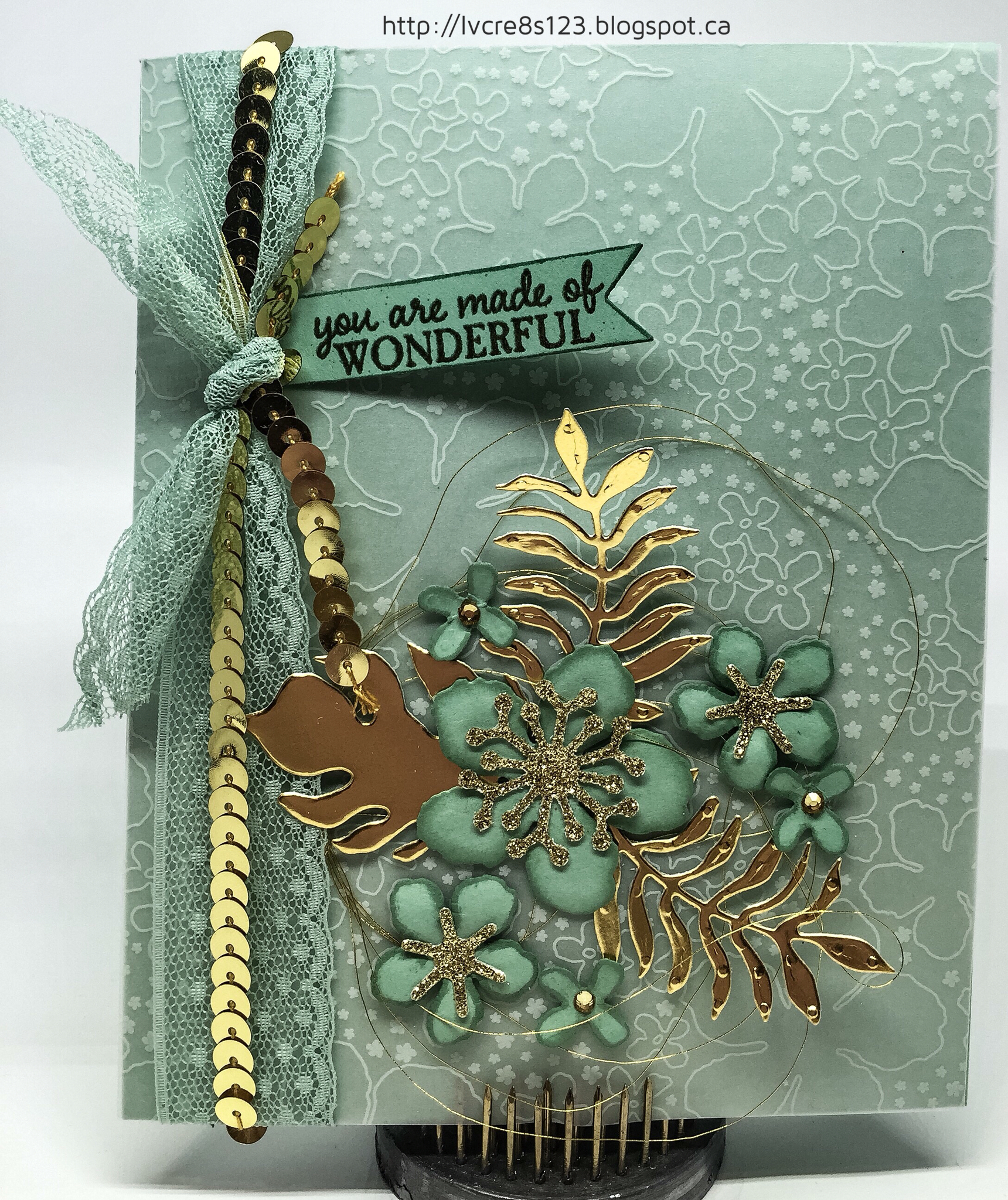
As soon as I saw the inspiration photo for the challenge, I thought of Mint Macaron and vellum. I knew that I would use the Botanical Gardens Designer Vellum Stack and lots of gold!

I started by selecting a piece of the vellum that had the flowers from the Botanicals Builder Framelits printed on the vellum. I used the Framelits to die cut some flowers from Mint Macaron and set about placing the die cuts on the vellum to form a pleasing cluster. Once I was happy with it, I added die cut centres from Gold Glimmer Paper and leaves from Gold Foil Paper.

I cut a card base from the Mint Macaron card stock to make a 4.75 x 6" card. I cut the vellum to fit the front of the card. I decided to tie a length of both the Mint Macaron Dotted Ribbon and Gold Sequin Trim down the l ft side of the card. This allowed me to use Snail Adhesive to attach the vellum where the glue wouldn't be seen.

I then shaped each flower with my McGill Paper Blossom Tool Kit set and inked the edges of each with Mint Macaron ink. I glued each centre into its flower using Multi Medium Matte. Before gluing the flowers onto the vellum, I made a thread nest from Gold Metallic Thread and secured it under the edge of the ribbon using a glue dot.

The flowers and leaves were then glued into place. The smallest flowers were adhered with glue dots. A rhinestone, coloured with a Copic marker, was added to each little flower.

The sentiment, from the Picture Perfect Stamp Set was stamped with Tip Top Taupe onto Mint Macaron. Then the sentiment was re-stamped using Gold Encore ink (I used my MISTI, of course!) Using the Tip Top Taupe ink first help d to give the color a bit more depth.

The sentiment was die cut using a die from the Bitty Banners Framelits. The edges were inked with Mint Macaron and then the banner was glued to the card front to complete the card.


Close up details
It felt good to complete this card and have it look even better than I envisioned! I'll be entering this card in the Stampin Royalty Challenge #316.

#sr316

Hope you have a great day!

Tuesday, February 9, 2016

Punch Art Valentine

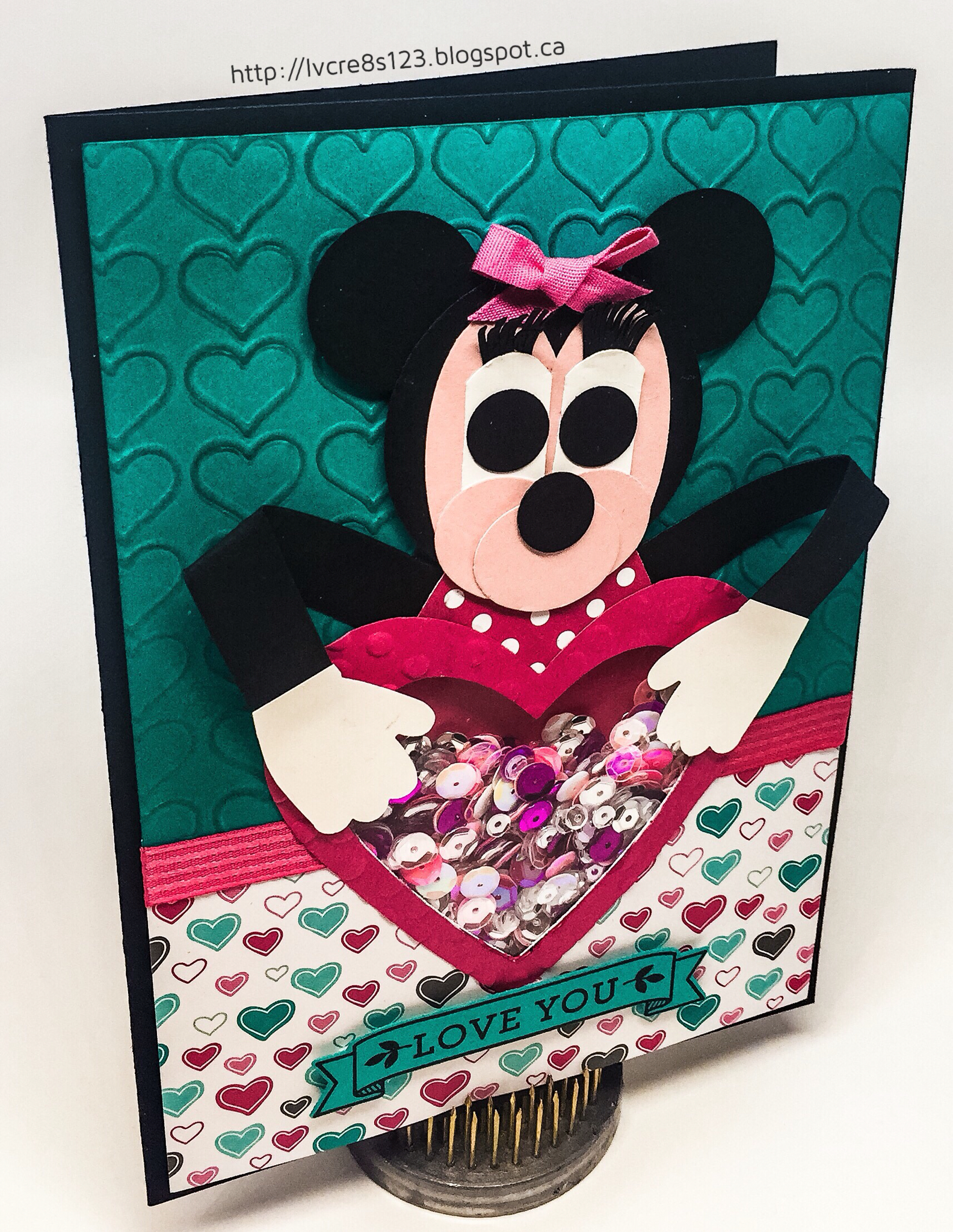
With Valentine's Day fast approaching, I sat down today to work on my personal Valentines. Of course, the first one I wanted to create was for my granddaughter, Raine.

I knew that I wanted to make a shaker card and I also knew that Minnie Mouse would be involved but I wasn't yet sure of the design.

In the last couple of days I had scoured Pinterest in search of Minnie Mouse punch art. I pinned a few but the best I found was at Sharon's Scrappy Space.

I grabbed a bunch of punches as well as Basic Black, Whisper White and Blushing Bride card stock and got ready to create. I started by punching shapes from scrap paper. Once I had settled on my design, I started punching the real stuff.

Here's the list of the punches I used to create Minnie Mouse:
  1. Head–2" Circle Punch
  2. Ears–1" Circle Punch
  3. Face–Large Oval Punch
  4. Cheeks and Snout–Small Oval Punch
  5. Whites of the Eyes–Large Oval Punch trimmed two times with the 1 1/4" Square Punch
  6. Eyes and Nose–1/2" Circle Punch
  7. Hands–Mitten Builder Punch trimmed with the 1 1/4" Scalloped Circle Punch
  8. Eyelashes–Word Window Punch trimmed with the 1" Circle Punch and scissors
  9. Arms–1/2" Basic Black strips
All parts of Minnie were adhered using Multipurpose Liquid Glue. Basic Black 1/2" strips were used for arms and The Dress Up Framelits Dies were used to cut a dress, which was later trimmed, from the Brights Backgrounds DSP Stack. A glue dot was used to adhere a Melon Mambo 1/4" Cotton Ribbon bow.

After assembling Minnie, it was evident that a 5 x 7" card was needed. I chose Basic Black for the card base. I cut a matte from Whisper White and used a strip of heart paper from the Have A Cuppa DSP Stack on the bottom of it. I chose to use Bermuda Bay card stock on the upper portion of the matte to match the designer paper.

I used the Happy Heart Embossing Folder to emboss the Bermuda Bay card stock and then sponged on some Bermuda Bay ink to bring out the texture of the raised image. I adhered both it and the designer paper to the matte using Fast Fuse.

Using Minnie and a heart die from the Hearts Collection Framelits to determine placement, I die cut a heart from the matte. In addition, I used two heart dies together to die cut a heart frame from Melon Mambo card stock. I embossed it using the Decorative Dots Embossing Folder.

I used my Fuse Tool and a square die from the Squares Collection Framelits to create shaker pocket. I inserted a piece of Melon Mambo card stock and an assortment of sequins. I used tape to adhere the pocket to the back of the die cut matte.

A length of Melon Mambo 3/8" Stitched Ribbon  was cut and it was laid across the seam made by the two papers. The ends were taped at the back of the matte and then scissors were used to cut the ribbon in half in front of the heart shaker. The excess ribbon was cut off and Tear & Tape was used to adhere the remaining ribbon pieces to the card front.

I adhered Minnie to the die cut heart frame and then used both liquid glue and Dimensionals to adhere them to the matte. The matte was adhered to the card front using Dimensionals.

The sentiment from the Bloomin' Love Stamp Set was stamped with Basic Black Archival ink on Bermuda Bay. It was die cut with the banner die from the Large Numbers Framelits Dies. The sentiment banner was adhered to the card front using Dimensionals to complete the card.

I'm pleased with how it turned out though I regret not sponging the heart frame. Oh well, I don't think Raine will notice!


Close up showing the sparkly sequin shaker mix

I hope you enjoyed reading about my process for this card. I'm off to create more Valentines!


Thursday, February 4, 2016

Life Is A Beautiful Ride For Global Design Project #021

Today I wanted to design a card for the Global Design Project because I really liked the colors. Or at least two of them . . . Wisteria Wonder is not one of my favorites because I find it is a kind of watered down color that can take on a real gray tone. However, I can happily play with Bermuda Bay and Melon Mambo!

The Have A Cuppa DSP Stack uses this color combination so I thought I would be able to use something from there to help me out.

I started by using my MISTI to stamp the Volkswagen, from the Beautiful Ride Stamp Set, using Basic Black Archival ink on a piece of watercolor paper. The MISTI allowed me to restamp to get a good black outline as it is often hard to get a good first stamp on watercolor paper. I then stamped it again using Versamark so that I could heat emboss it using Clear Stampin' Emboss Powder. I repeated this process for the stack of suitcases.

I used my Aqua Painter along with reinkers to paint the car and then used my Heat Tool to ensure it was completely dry. I cut out the car and suitcases using both scissors and my Fiskars Fingertip Craft Knife. This knife is a wonderful tool and it makes it easy to control because you actually wear it on your finger! I'm looking forward to receiving my order of the Fiskars Reverse-Action Fingertip Tweezers which are designed the same way.

I cut a Melon Mambo card base for a 5.5 x 5.5" card size. I chose a Bermuda Bay patterned paper from the Have A Cuppa DSP Stack and cut a matte to go on the card base. I adhered it with Fast Fuse Adhesive.

I chose a 4.5" square of Thick Whisper White for the front matte and cut a very thin Basic Black matte to go beneath it.

To work in a bit more color, I decided to "flick" paint droplets onto the white matte prior to attaching the car and suitcases. I used the reinkers again but made sure to use a paintbrush with lots of water on it so that the ink would fly off easily. After using the three colors for the card challenge, Bermuda Bay, Melon Mambo and Wisteria Wonder, I dried the matte with my heat tool.

I adhered the white matte to the black matte and then used Dimensionals to attach it to the patterned paper matte.

I cut a .75" strip of Basic Black and flagged one end using the Banner Triple Punch. I used my MISTI to stamp the sentiment using Versamark and then heat embossed it using White Stampin' Emboss Powder. I used Fast Fuse Adhesive to attach it to the matte.

The car was adhered above the sentiment banner using Dimensionals. I then cut a length of twine from the Baker's Twine Combo Pack and separated out the black strand. I used it to tie around the stack of suitcases, mimicking the lines that were on the stamp. I then adhered the suitcases above the car.

To complete the card, I used Copic markers to color three pearls and adhered them to the end of the sentiment banner.


I am entering this card in the Global Design Project #021.

#gdp021

Hope your "ride" is a good one today!


Wednesday, February 3, 2016

Sky Is The Limit Birthday

>>>>>Update<<<<<

My card was chosen as a Top Pick on Stampin' Royalty #315! Woohoo! Click on the picture below to come and play!


Wow! Have you ever had one of those crafting sessions where everything just goes together tickety-boo? I certainly had one of those days today!

I was actually working on a couple of different projects–coloring for a card challenge project and creating a new card.
When I started, I knew three things:
  1. color scheme–Kraft and Always Artichoke
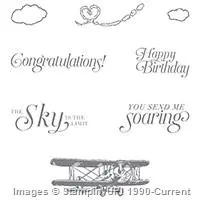
  2. stamp sets–Sky Is The Limit and Timeless Textures
  3. layout–two mattes, one embossed; burlap trim
This was one of those cards that I got an inkling for and I mulled it over in my mind since last night. This morning, the idea really gelled so I could go ahead and create the card!

As I often do, I had the design software for my Silhouette open so I could draw out my idea and modify it as I worked on my card. I find this very useful because I can choose the exact size for mattes, etc. I even copy a picture of the stamp and put it into place to get an idea of how everything will fit together. It also cuts down on paper waste.

Linda Vich Creates: Sky Is The Limit Birthday. Timeless Textures gets a workout in this masculine card that showcases the Sky Is The Limit plane.
Card design in Silhouette Design Software
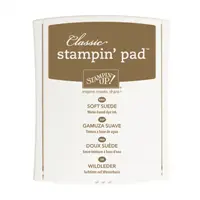
I cut a standard size card base from Kraft card stock and also cut a matte that was 3 x 4.25." I had a scrap piece of the Kraft which I used to test out the inks that I might use on it. I find that I waste less card stock this way. Also, ink looks different on different card stocks as well as looking different when it is dry compared to how it looks wet. I tried Baked Brown Sugar, Tip Top Taupe and Soft Suede. Soft Suede was the winner!

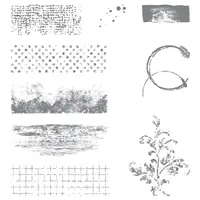
I opened the Timeless Textures stamp set and started by choosing the grid pattern stamp. The Timeless Textures stamp set was a no-brainer purchase for me! So many useful stamps that can be used and used for years to come! This Sale-A-Bration stamp set is only available FREE with a $60 purchase until February 15. If you haven't yet got it, put it at the top of your list–you won't regret it!

I chose the grid stamp and inked it up with the Soft Suede and stamped once at an angle on the left of the matte and then "dabbed" parts of it around the matte. Next, I used the kind of smudgy edge stamp and stamped it on the top and right edges of the matte. The coffee ring stamp was next. I stamped it off once and then stamped it once on the bottom and twice on the top. I used some of the grunge dots to sort of fill in the rest of the matte with texture. To give the whole matte some depth, I sponged deep edges and corners with the ink.
Basic Black ink was used to stamp both the plane and the sentiment.

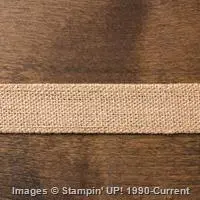
I cut a small piece of the Burlap ribbon and then cut it in half lengthwise. I folded one of the pieces in half and cut the ends at an angle. I knew that I wanted to staple the burlap to the matte but I didn't want a silver staple but that's all that we have from Stampin Up. So, what to do? I used a E15 Copic marker to color the staples and then stapled the burlap to the matte. The staples now looked just like I wanted them to look!

For the Always Artichoke matte, I didn't want to use the texture stamps but it was looking a little bare. I looked through my embossing folders from Stampin Up but didn't have one that would give the look I was after. I decided to use my Cheetah Print embossing folder (which is part of a set of two embossing folders) because I thought it sort of resembled camouflage which kind of went with the grungy card I was creating.

After embossing the matte, I sponged the edges as well as the embossed pattern to give it a bit of life.
All that was left to do was put the card together! I used Dimensionals for both mattes, turning the stamped matte at an angle.


I am really liking this masculine card! The Sky Is The Limit stamp set will be one that I turn to often. To see other projects that use this stamp set, be sure to view The Sky Really Is The Limit! and Sale-a-Bration Freebie Sneak Peek.

I'm entering this card in the Stampin' Royalty Challenge #SR315. The theme is Cards For Guys.

Wear Our Badge

One last thing before I leave you . . . did you spot the "oops" on my card? Leave me a comment below with your guess!

Monday, February 1, 2016

Beautiful Bold Botanicals

Got the chance to play with the Botanical Builder Framelits today!

I had planned to incorporate the last woodgrain background I had created in my Rustic Wooden Valentine post but working with the woodgrain piece, I found out that it was too "heavy" for my design. Once I simplified my design idea, things came together quite quickly!

I cut a standard Basic Black card base and then a Melon Mambo matte. I chose a piece of Smoky Slate card stock to be the top matte and this is the piece I cut with the leaf edgelit die from the set.

I used Fast Fuse Adhesive to adhere the die cut matte to the Melon Mambo matte and then used glue dots to adhere a strip of the Silver Sequin Trim along the curve of the die cut edge to add a bit of zing to the design.

I knew that I wanted to create a flower and leaf cluster for the top left of the card and balance it with a smaller cluster on the bottom right of the card. Rather than waste card stock, I die cut several pieces from scrap paper. Once I had my design figured out, I cut the pieces from card stock.

I die cut the largest flower (the one that has pop up pieces on the petals) from Basic Black card stock and cut the fancy stamen piece from Melon Mambo. I also cut two ferns from the Melon Mambo.
I used my McGill Paper Blossom Tool Kit to help me shape the petals a bit. This kit has proved invaluable to me since I really like to use flowers on my cards! Unfortunately, my tweezers from the set have gone missing :(

I also used my bone folder to give a little shape to the fern fronds. I adhered the flower using a Dimensional and then adhered the flower centre and the ferns with the Fine Tip Glue Pen. I added one of the Iced Rhinestones to the very centre of the flower.

For the arrangement on the bottom right of the card, I die cut one of the smaller flowers from Basic Black card stock as well as three little flower centres that I made into tiny flowers! I cut three tiny leaves from Smoky Slate and the twisted stamen centre from Melon Mambo. The flower was adhered with a Dimensional and all other pieces were adhered with the Fine Tip Glue Pen. I added rhinestones to the centres of each flower.

I stamped the sentiment, from the Bloomin' Love Stamp set, using Jet Black Stazon because I wanted it to be really black next to the black card stock flower.

For inside the card, I cut a matte from Whisper White and used a sponge to add Smoky Slate ink to the outer edges. I used the largest "leaf vein" stamp from the Botanical Blooms Stamp Set to stamp with Basic Black Archival ink and then used Melon Mambo and the tiny flower grouping stamp to stamp over top, stamping a few times before re-inking to give depth to the stamping. The matte was adhered with Fast Fuse Adhesive to finish the card.


Once the flower design was decided, this card went together quite quickly. I like the play of contrasts in the colors and the sparkle added by the rhinestones!

I'm submitting this card for The Paper Players Challenge #280.


I'm experimenting a bit with my pictures for my blog posts. I recently purchased a Foldio 2 for taking better photos of my cards. I am liking it very much, especially since it gives better lighting to the front of my cards than my other photo setup did.

For these photos I chose a black background, for a change, which may not be the best for a black card base but from where I am viewing the images, the two blacks are different and the black card can be distinguished from its black background. I hope this translates well on the web. Please drop me a comment below about my card photos to let me know what you think!